Back of House
HACCP, food temperatures, probe calibration, cleaning, hazard analysis and kitchen management.
Compliance, staff training, HR, rotas, stocktaking and reservations in one practical system built for hospitality teams.
Purchase Swan Safer Systems →Explore the user guide → Kitchen compliance
 Front-of-house operations
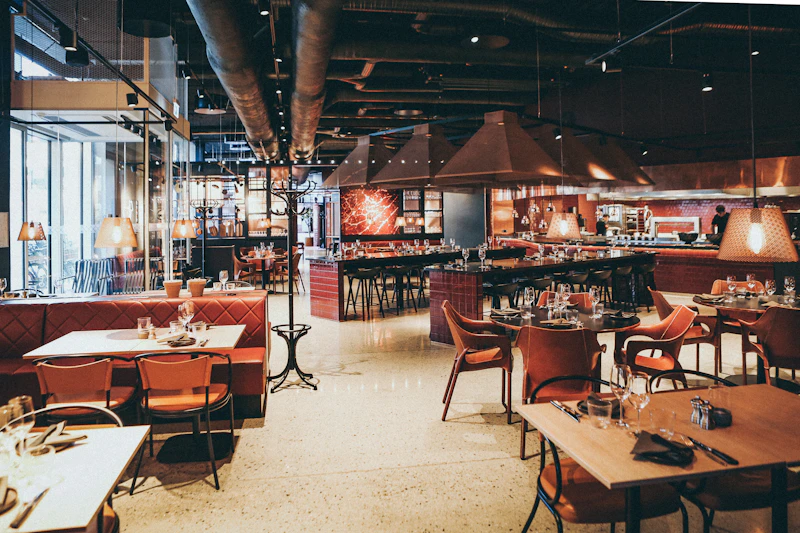 Hospitality teams
HACCP, food temperatures, probe calibration, cleaning, hazard analysis and kitchen management.
Daily and weekly checklists, opening and closing routines and management oversight.
Comprehensive editable risk assessments, scoring and manager reviews.
Training modules, completion tracking, manager sign-off and certificates.
Employee details, employment contracts, handbooks and document sign-off.
Manage FOH and BOH shifts, rota planning and staff holiday requests.
Organised wet and dry stock counts, sections and results.
Online reservations, table allocation, diary management and confirmations.
Oversee compliance, manage opening hours and approve completed staff training.
Daily checks, manager oversight, training, staff rotas and safety records together in one practical platform.
Explore licence options →Illustrative dashboard concept, not a live app screenshot.
Keep your essential records organised, reduce manual administration and give managers a clearer picture of the venue.
New to Swan Safer Systems? Start here. A colourful map of the platform, with straightforward instructions for the tasks your team completes every day.
Start with the basics ↓Open your venue's Swan Safer Systems app. Enter your staff login details. Managers use their own authorised access.
From the main menu, choose the area you need: BOH, FOH, Rota, Swancomms or another available feature.
Follow the on-screen questions or tick sheets, save or submit, then check that your entry appears in the relevant record.
What it does: Fridge/freezer checks, cooking temperatures, hot holding, cleaning, probe calibration, hazard analysis and maintenance.
Open BOH from the main menu. Choose the correct daily record, enter temperatures or tick completed tasks, and save.
What it does: Opening and closing routines, daily and weekly tasks, fire-safety checks.
Open FOH, select today’s checklist, work through each task, enter your initials where requested, and confirm the record has saved.
What it does: Editable risk assessments, scoring, reviews and sign-off.
Managers open Risk Assessments, select an assessment, review the hazards and controls, update where needed and sign off.
What it does: Training modules, manager sign-off, certificates and team communications.
Open Swancomms, select your assigned training, read or watch the material, answer questions and submit for review.
What it does: Employee records, contracts, handbooks, signatures and stored documents.
Managers open the HR area, enter employee details, issue the relevant documents and request signatures. Employees review and sign their documents.
What it does: Weekly rota planning, shift visibility and holiday records.
Managers create FOH or BOH shifts and publish the rota. Staff open Rota to see shifts and check holiday information.
What it does: Wet and dry stock sections, counts and review.
Open Stocktaking, choose the relevant food or drink section, enter counts and save the completed stock record.
What it does: Guest bookings, diary, table allocation and confirmations.
Open the booking diary, select a date, review the reservation and use the available actions to confirm, edit or update the table status.
What it does: Compliance overview, staff oversight, settings and records.
Sign in with manager permissions, select the section to review and check records, outstanding tasks and staff activity.
What it does: Incident records for guests or team members.
Open the accident form, enter the incident details accurately, review the information and save the report.
What it does: Regular fire safety checks and review.
Find the fire safety checklist in the relevant operations area, complete the checks and save the record.
What it does: Maintenance issue logging and follow-up.
Report an issue as soon as it is noticed, describe the problem clearly and submit it for manager attention.
Sign in with your own details, complete assigned checks, review rotas and training, and submit records when prompted.
Use manager permissions to review records, configure venue settings, manage staff documents, plan rotas and sign off relevant tasks.
This guide is an orientation aid, not a substitute for venue training, food safety procedures or statutory requirements. The precise steps and features can vary with your app version and permissions.
All your essential venue tools in one place. From £99 per venue per year including VAT.
Purchase Swan Safer Systems →Including VAT. 12-month licence.
Buy your licence →Checkout is completed securely through the Swan Safer Systems app.